

PureVPN Review & Why You Should Skip the Basic Plan and Get These Add-ons Instead

Let’s be honest. Most VPN reviews repeat the same generic marketing fluff. They talk about military-grade encryption, public Wi-Fi safety, or unblocking foreign streaming libraries.
But if you use a VPN for more than basic browsing, standard plans can introduce a lot of friction.
If you handle online banking, trade crypto, manage remote servers, play competitive games, or seed torrents, you’ve probably run into two major issues:
The Shared IP Nightmare: You share an IP with hundreds of random users. If one person does something stupid, the entire IP gets blacklisted. Suddenly, you are stuck in infinite CAPTCHA loops. Worse, your crypto exchange might freeze your account for suspicious activity.
The Firewall Brick Wall: Standard VPNs block all incoming connections by default. This setup keeps you safe, but it completely breaks things when you need to open ports. It leads to Strict NAT issues in gaming and throttles your torrent seeding speeds.
PureVPN fixes this by offering two optional add-ons right in the shopping cart: Dedicated IP and Port Forwarding. Let’s look at how these features perform in the real world.
Dedicated IP: No More CAPTCHAs, Frozen Accounts, or “Bad Neighbors”
When you connect to a standard VPN, you get a shared IP. This multi-tenant setup often leads to the “bad neighbor effect.” If another user on that server spams forums or scrapes data, major security firewalls will flag that IP. When you try to access the web, you get hit with constant security verification screens.
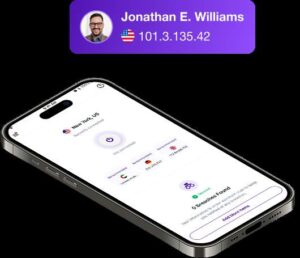
The Dedicated IP add-on fixes this completely. It gives you a unique, static IPv4 address that belongs exclusively to your account. Nobody else can route traffic through it. Your digital reputation stays entirely under your own control.
Real-World Benefits:
Safe Online Banking: Financial platforms like PayPal or Stripe are highly sensitive to shifting IP addresses. Logging in from a shared data center IP used by dozens of people can trigger automated fraud alerts. This leads to forced password resets or temporary account freezes. A Dedicated IP provides a consistent, trusted point of origin.
IP Whitelisting: Managing private cloud servers, databases, or sensitive CRM systems requires tight security. The best move is to whitelist your specific IP so the firewall drops all other traffic. Since a standard VPN changes your IP constantly, whitelisting is impossible without a static Dedicated IP.
Uninterrupted Streaming: Streaming services actively buy databases of known shared VPN ranges to block them. Because hundreds of users stream over the same shared IP, automated detection tools easily ban it. A Dedicated IP looks completely natural. It shows just one stream from one single IP, bypassing proxy errors.
Port Forwarding: Unlocking the Performance Your Firewall Is Blocking
By default, standard VPN configurations block all incoming communication ports to keep your device safe. However, this one-way gatekeeper logic completely ruins performance for specific applications that rely on bidirectional traffic.
PureVPN’s Port Forwarding add-on opens these specific communication channels, letting you tell the VPN server: “When a packet arrives at this specific port, send it straight through the tunnel to my machine.”

Why It Matters:
Fixing Gaming NAT Issues: Using a standard VPN while playing multiplayer games usually results in a Strict NAT status. Game servers cannot talk back to your device through blocked ports. Your matchmaking queues skyrocket, voice chat drops, and you cannot host matches. Forwarding the right ports instantly gives you an Open NAT status.
Supercharging Torrent Speeds: Peer-to-peer file sharing requires connecting to multiple peers simultaneously. If your ports are closed, your torrent client can only connect to “active” peers who have open ports. You are completely cut off from firewalled users, which slashes your potential connection pool. Opening a dedicated port lets you connect to the entire swarm to max out your speeds.
Hosting Local Servers: Want to run a private Minecraft server, access a home NAS device, or test a local web server? You cannot establish external connections without port forwarding. This feature also allows you to set up secure remote access (like RDP or SSH) through the VPN while keeping your actual residential IP completely hidden.
The Real Power Step: Combining Both Features
While these features are great on their own, the real value comes when you deploy them together.
If you use Port Forwarding on a shared VPN server, you get an open port, but your underlying IP address still changes every time you reconnect. If you are hosting a server, you have to give your friends a brand-new IP address every couple of hours.
By binding Port Forwarding to a Static Dedicated IP, your network layout becomes permanent. Your IP address stays exactly the same, and your custom ports remain mapped to it 24/7. Your peers can just save your IP and port into their favorites list, and it will work perfectly every single time.
Set Up and Everyday Usability
The best part about PureVPN’s approach is that you don’t have to deal with complex, manual router configurations or command-line scripting.
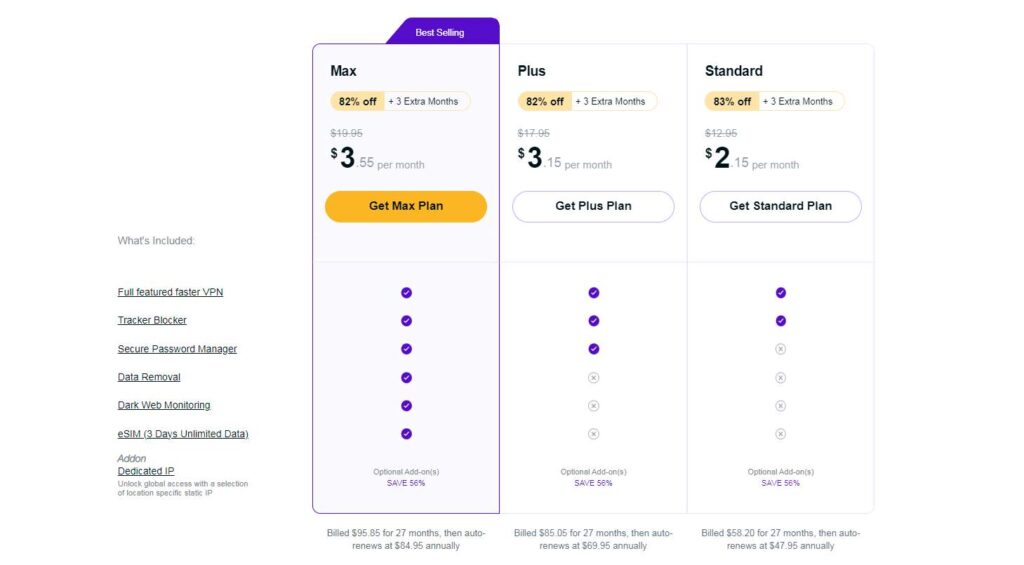
You just pick and add the features right inside your shopping cart during checkout.
You manage your Port Forwarding rules via a clean dashboard in your web member area, where you simply type in the port number and select the protocol (TCP/UDP).
Your Dedicated IP is populated automatically within the standard PureVPN app interface under a dedicated tab. You just click it, connect, and you’re good to go.
Who Actually Needs This?
If you only use a VPN once in a while to encrypt your traffic at a public cafe, the basic subscription is perfectly fine. Do not waste money on extra add-ons.
But if you are a power user handling heavy P2P traffic, playing competitive multiplayer games, managing secure financial accounts, or running automated scripts, combining a Dedicated IP and Port Forwarding is pretty much mandatory. It removes all the annoying bottlenecks of a shared network while keeping the core privacy benefits of a premium VPN.
